


Sending and receiving are two separate jobs, run by different settings, so business email can keep sending perfectly while incoming mail goes somewhere you'll never see. The way to know is to test it from the outside: send a message to your business address from an account that isn't yours, and see whether it arrives.
From the inside, everything looks fine. Your sent folder fills up. Replies to your own messages may even arrive. It's the people writing to you first, the new customer or the vendor with a question, who disappear.
Why sending working proves nothing
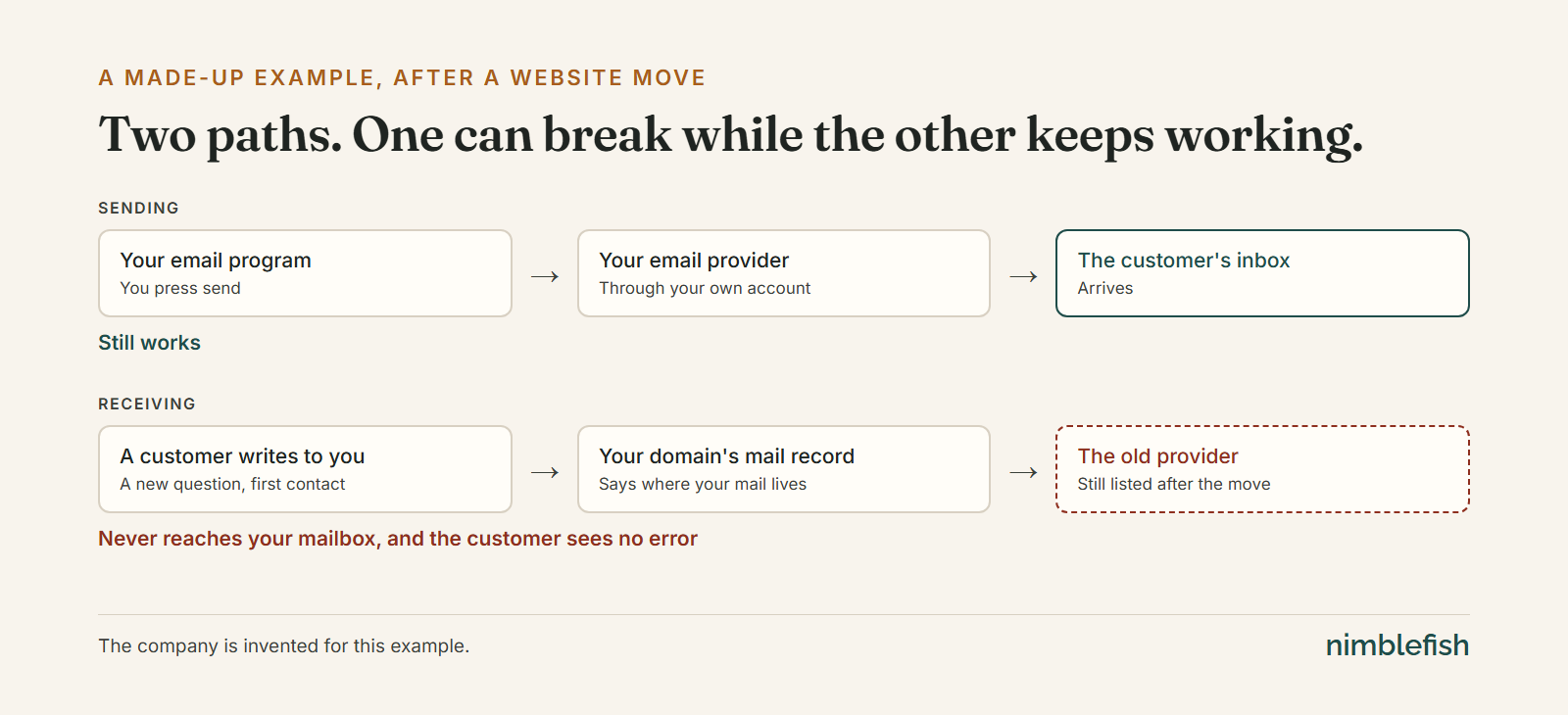
When you send, your email program hands the message to your provider, and off it goes. When someone writes to you, their email has to find your mailbox first. It does that by looking up a record on your domain (the MX record) that says where your mail lives.
Those are different paths. One can break while the other keeps working. And because the person writing to you usually gets no error, nobody hears about it: not you, not them.
 (opens a larger, zoomable view)
What it looks like
Picture a landscaping company with an office address on its own domain. This company is made up; the pattern is real.
In spring, the owner moves the website to a new host. Somewhere in that move, the record that tells the world where the company's mail lives starts pointing at the old provider. Sending still works, because sending runs through the owner's own account. But new inquiries go to a mailbox nobody checks any more.
Three months later, a longtime customer mentions she emailed twice about fall cleanup and never heard back. That's the first anyone knows.
Where incoming mail goes missing
- A website or hosting move. Website, domain and email are often bought in one checkout, so they feel like one thing. They aren't. Changing one can quietly change where the others point.
- A plan that lapsed. If email came bundled with an old hosting plan, canceling the plan can take the mailbox with it, even though your sending account still works through another service.
- A full mailbox. Some providers stop accepting new mail when storage runs out. The sender may get a bounce; often you never see it.
- A forward that stopped forwarding. info@ set to forward to someone's personal inbox years ago, and the personal inbox changed.
- A filter doing too much. A rule or spam setting that sends new senders, the very people you want to hear from, straight to a folder no one opens.
- An address nobody reads. The mail arrives. It just arrives in a mailbox that belonged to someone who left.
The two-minute test
- Send a message to your business address from a personal account the business doesn't use, on your phone.
- Ask a friend or family member to do the same, from a different email provider than yours.
- Check that both arrive, in the inbox, not spam, and note how long they took.
- Do it for every address you publish: the one on your website, your Google Business Profile, your business cards and your invoices.
If anything doesn't arrive within a few minutes, that's your answer. Run it again after any change to your website, hosting, domain, email provider or staff.
Keeping it from happening
A few habits cover almost all of it:
- Know where your mail lives, written down in one place: your email provider, your domain registrar and your website host, and who has the login to each.
- Check the domain's settings before any move. Every email setting on the domain is recorded before a website or host change, and checked again after.
- Point every public address at an inbox someone reads, and change it when people come and go.
- Test from the outside once a month. It takes two minutes.
This is the same thinking as making sure you hold the keys to your own Google accounts: the pieces of your business that live online should be in your hands, written down, and checked.
The form and the inbox are a pair
If your website's contact form sends to your business address, both have to work for a customer to reach you. We covered the form's side in Your contact form might be broken right now. This is the other half.
Watching both is part of Website Care. When we move or build a site, we check every setting on your domain before we change anything, so your email keeps going where it should. If you'd like a second set of eyes on yours, let's talk.